HackHub Ultimate Hacker Simulator NetTree & Network Topology
Map randomized networks visually — correlate scans, WHOIS, and firewall paths.
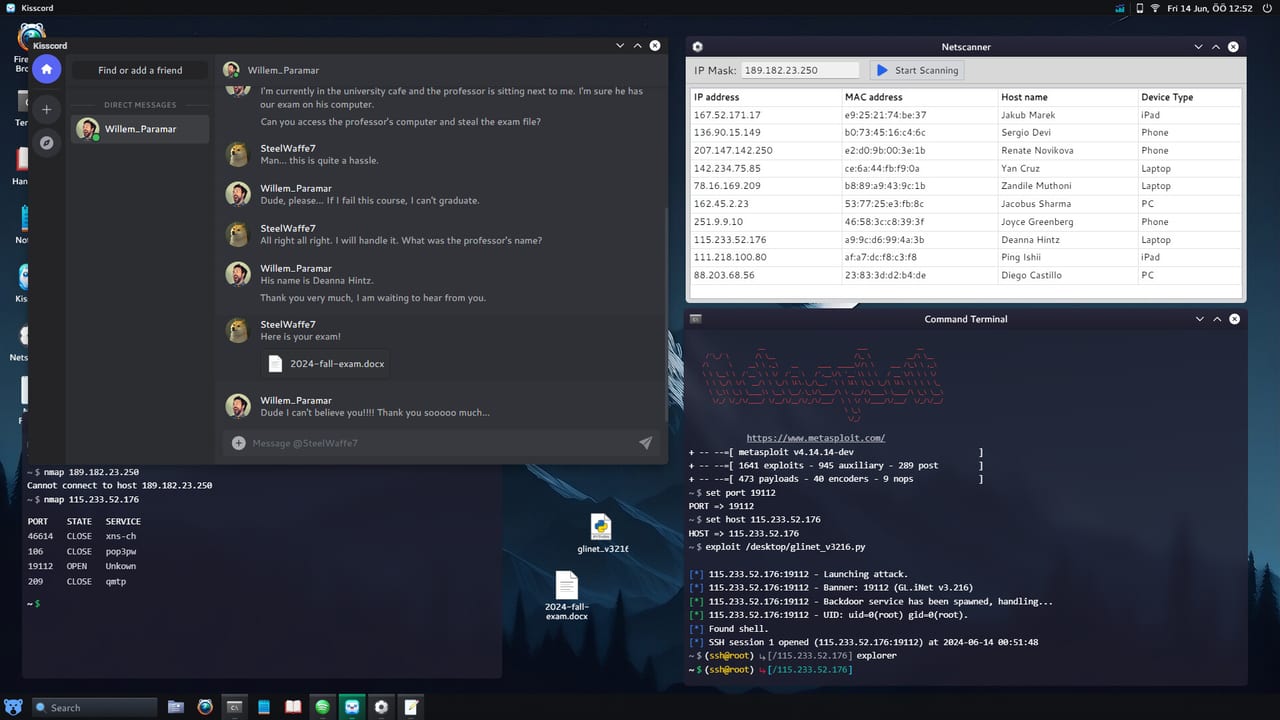
NetTree is HackHub Ultimate Hacker Simulator’s in-game network topology viewer. HotBunny uses it to visualize how hosts, routers, firewalls, and public-facing services connect inside a session-randomized mission graph on Steam app 2980270. Unlike a static walkthrough map, NetTree updates as you discover nodes — your job is to read the graph, classify public vs private segments, and decide which scan or forward comes next. This guide explains NetTree mechanics without heavy story spoilers, with process tips that also help firewall-heavy side objectives in the vein of corporate security puzzles.
NetTree complements terminal recon from Nmap and OSINT from browser/whois workflows in Getting Started. Think of it as the diagram layer on top of raw scan logs — essential when mail mentions “internal VLAN,” “DMZ,” or “perimeter host” without giving you a flat IP list.
Opening and reading NetTree
Launch NetTree from the desktop or mission UI when a contract unlocks topology view. Typical elements include:
- Nodes — hosts, routers, firewalls, sometimes cloud icons for fictional CDN edges.
- Edges — allowed routes; dashed lines often mean filtered or unverified paths.
- Labels — hostname, role hints (
web,db,fw), or color coding for public vs internal. - Discovery state — grey nodes are unknown until you scan or phish; solid nodes are confirmed live.
Pan and zoom to fit multi-subnet missions. Export mental notes: “public web on left, internal DB cluster behind center firewall” — do not assume the same layout on your neighbor’s save.
Public vs private hosts
Classification drives exploit choice:
| Class | Typical signals | Operator action |
|---|---|---|
| Public | World icon, external DNS, mail cites customer-facing URL | nmap -sV on discovered public IP; browser recon |
| Private | RFC1918-style ranges, “internal only” mail | May need pivot, VPN, or Port Forwarding |
| DMZ | Between firewall layers | Often web/admin; bridge to internal |
whois on a domain from mail resolves to a public entry point — correlate that IP with a NetTree node before scanning random internal greys. Mismatch means you have not unlocked that subnet yet (story event, credential, or forward rule pending).
Routers and firewalls on the graph
Router nodes represent NAT boundaries. Firewall nodes represent filter policies — the fiction equivalent of “port closed until source IP whitelisted.” When Nmap shows filtered from your current VM but NetTree shows a service icon behind a firewall, you are likely on the wrong leg of the graph.
Process checklist:
- Identify your current machine’s node (usually marked “You” or home LAN).
- Trace edges toward the objective host.
- Note firewall symbols blocking the direct path.
- Search mail/loot for admin credentials, phish targets, or Fern router access.
- After changing NAT or obtaining internal access, refresh NetTree and rescan.
This pattern appears in corporate security puzzles — including scenarios where a security consultant character (community guides sometimes nickname these “Carl Teller-style” firewall setups) expects you to map allowed paths rather than spray exploits at every node. The puzzle is topology, not a single magic port.
Correlating WHOIS, browser, and Nmap
NetTree becomes powerful when layered with other intel:
whois example-corp.test
nmap -sV DISCOVERED_IP -p-
Replace domain and IP with your session data. Workflow:
- Mail names a company →
whoisor in-game browser search. - Resolve public IP → find matching NetTree node.
- Scan open ports → update node annotations in personal notes.
- Compare version banners with Metasploit module requirements.
- If internal hosts appear in loot but not on graph, trigger discovery via pivot or mail reply.
Never skip step 2 — guessing internal IPs without graph correlation burns Hydra lockouts on decoy hosts.
When NetTree shows no path to objective
Common non-bug causes:
- Undiscovered node — run host discovery on briefing CIDR from Nmap guide.
- Missing forward — configure Fern/NAT per Port Forwarding.
- Wrong interface — VPN or
openvpnfiction in multiplayer may be required first. - Story gate — NPC must come online or mail attachment must be processed.
Journalist’s Sister chapters combine NetTree hints with social engineering — read optional objectives before assuming the graph is complete.
NetTree and Hack the Hub contracts
Side contracts on the Hack the Hub board often reward operators who draw the target org before attacking. Checkout-style jobs expect you to locate web tier vs database tier on the graph, then chain whois → nmap → exploit on the correct node — not the first open port you see.
Multiplayer topology
Version 1.0 procedural companies may sync partial NetTree discovery across teammates. Coordinate:
- One player documents public edge; another scans internal after pivot.
- Call out firewall nodes in voice chat to avoid duplicate Hydra runs.
- Re-open NetTree after shared story triggers — graphs can expand mid-session.
See Multiplayer for lobby-specific rules.
NetTree vs raw terminal-only play
Skilled operators can ignore the GUI, but NetTree reduces wrong-target exploits in dense missions. Use it when:
- Mail references multiple subsidiaries.
- Scans return many live hosts on overlapping subnets.
- Firewall fiction blocks direct access.
- You need to explain your plan before running sqlmap against a web node.
Skip it only on trivial single-host tutorials — even then, checking the graph builds habit for late game.
Practice drill
On your current save with NetTree unlocked:
- Label every public node after
whois+ browser pass. - Mark firewalls between you and the mission objective.
- Write one sentence per blocked path explaining what unlock might open it (forward, cred, phish).
- Rescan after one story or contract milestone; diff the graph against your notes.
- Complete one objective using only hosts confirmed on NetTree — no blind Hydra.
Related pages
- Nmap Scanning Guide — populate NetTree with live scan data.
- Port Forwarding — open paths through router/firewall nodes.
- Hack the Hub — contract board workflows using topology.
- Journalist’s Sister — story chapters with network mapping beats.
- Troubleshooting — when objectives show
?despite a full graph.
NetTree turns randomized HackHub networks into readable puzzles. Master the graph layer and every scan command targets something you understand, not something you guessed from an outdated screenshot.
Frequently Asked Questions
Quick answers to common HackHub questions.
Why are some NetTree nodes grey?
Grey nodes are undiscovered. Run host discovery and port scans on ranges your mission brief allows, then refresh the graph.
Do public and private hosts look different in NetTree?
Yes. Icons, colors, and labels usually distinguish external-facing systems from internal RFC1918-style hosts behind firewalls.
Can I finish missions without opening NetTree?
Sometimes on simple jobs, but firewall-heavy contracts and story chapters expect you to read topology to avoid wrong-target exploits.
Does NetTree show the same layout in every save?
No. Topology randomizes per session. The reading skills transfer; specific node positions do not.
How does NetTree relate to whois and nmap?
whois and browser research identify public entry nodes; nmap confirms services on those nodes; NetTree shows how they connect to internal targets.