HackHub Ultimate Hacker Simulator Steam Workshop for HackHub
Subscribe, publish, and ship Code++ mods with the 1.0 content SDK.
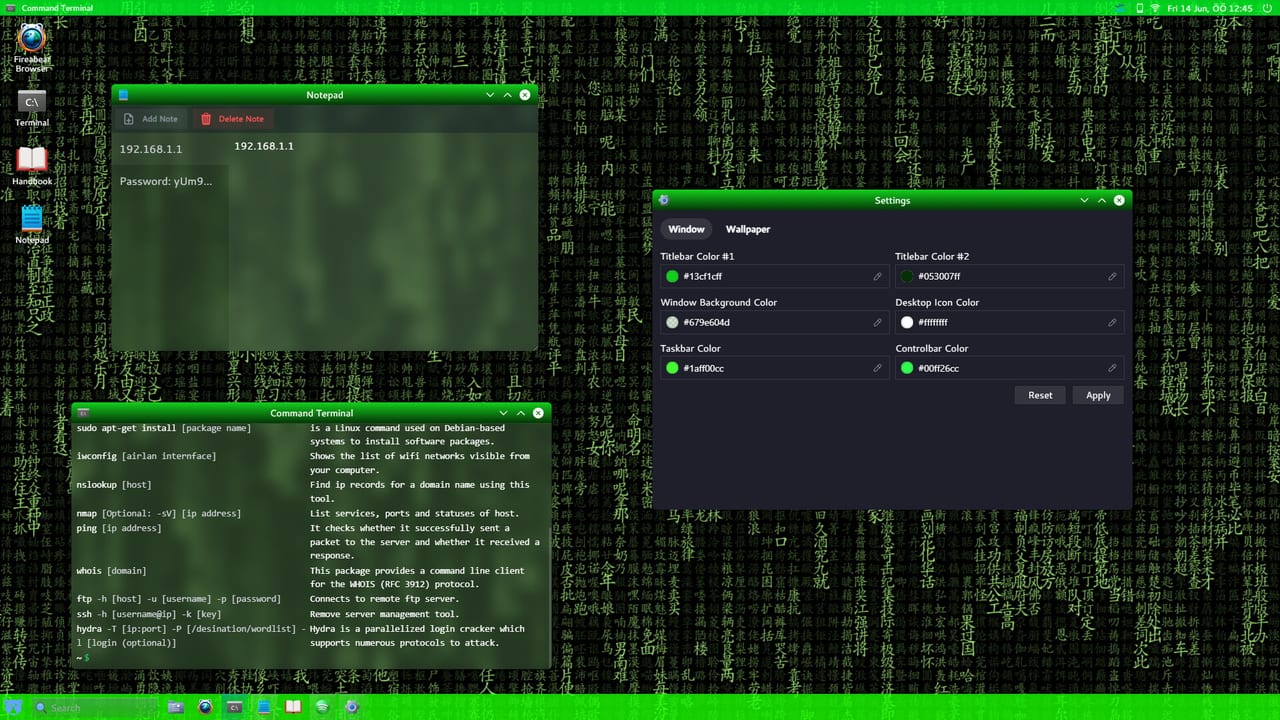
Steam Workshop integration is a headline feature of HackHub Ultimate Hacker Simulator’s version 1.0 release on August 1, 2026. HotBunny uses Workshop to distribute Code++ scripts, quality-of-life utilities, training scenarios, and content SDK packages tied to Steam app 2980270. This ecosystem is entirely inside Steam and the game client—not a marketplace for Roblox exploits, external trainers, or account-risking injectors.
Workshop items extend the same terminal stack documented in the Tools Hub. Think of them as community-authored layers atop Commands, Nmap, Metasploit, and Password Cracking workflows. Well-made mods parameterize randomized missions instead of hardcoding spoiler IPs eliminated by HotBunny’s session RNG.
Browsing and subscribing
Open Workshop from the game’s main menu or Steam overlay:
- Launch HackHub from your library.
- Select Workshop → Browse.
- Filter by tags such as
Code++,Singleplayer,Multiplayer, orTraining. - Click Subscribe on items with clear descriptions and recent updates.
- Restart or reload the in-game mod manager when prompted.
Subscribed content downloads to your Steam library folder and appears inside the virtual desktop mod list. Disable mods you are not actively testing—load order conflicts can break Code++ projects until you isolate the culprit.
Evaluating mods safely
| Signal | Good sign | Red flag |
|---|---|---|
| Description | Lists game version, API used, multiplayer policy | Vague “god mode” claims |
| Updates | Patch notes after 1.0 | Abandoned since Early Access |
| Dependencies | Links to tool pages / HotBunny docs | Requires external .exe downloader |
| Reviews | Reports compatibility with current patch | Warnings about save corruption |
Official channels—HotBunny docs, community forum, and Discord—announce verified templates. Still read subscriber comments before enabling automation in prized saves.
Publishing your first mod
After you write and test a script locally:
- Open the in-game Workshop Publisher or Steam’s HackHub Workshop tab.
- Package your Code++ project directory with metadata (title, tags, thumbnail).
- Set minimum game version to
1.0.0if you rely on multiplayer or SDK APIs from the full release. - Declare multiplayer safety honestly—mods that auto-complete objectives may be blocked online.
- Upload and wait for Steam processing; subscribe yourself to test the download path.
Include a README in the description explaining which mission types the mod supports and whether users must complete Getting Started first.
Content SDK overview
The 1.0 content SDK lets advanced authors ship more than single scripts:
- Custom training networks with authored objectives
- Prefab mission briefings that teach specific tools
- UI widgets that wrap repeated Nmap or Metasploit sequences
- Cosmetic terminal themes (when allowed by guidelines)
SDK packages must respect HotBunny’s fiction—no real-world attack infrastructure, no instructions targeting live systems. Follow templates in official documentation rather than decompiling game binaries.
Multiplayer, co-op, and PvP tags
Online multiplayer and PvP hooks shipped in 1.0 after the January 26, 2026 Early Access period. Workshop tags communicate compatibility:
- Singleplayer only — May use aggressive automation or skip timers.
- Co-op safe — Syncs with shared mission state without stealing objectives.
- PvP safe — Avoids unfair flag capture or denial mechanics on human opponents.
Using singleplayer-only automation in ranked PvP can fail to load or kick you from sessions—by design. Read Full Release 1.0 for networking notes before publishing competitive mods.
Relationship to Code++
Most Workshop entries are compiled or interpreted Code++ bundles. Authors should:
- Pin
#pragma meta requiresversions as shown in the Code++ Language Guide. - Avoid embedding plaintext credentials—even as jokes—because players may misread them as real spoilers.
- Link to wiki tool pages in descriptions so subscribers know prerequisite skills.
Players should learn manual exploitation once before subscribing to “one-click root” packs; random seeds expose mods that only worked on the author’s machine.
Updating mods after patches
HotBunny post-1.0 balance passes may rename APIs or command flags. When Updates Hub posts a patch:
- Read patch notes and documentation diffs.
- Re-test subscribed mods on a throwaway save.
- Authors: upload revised Workshop builds with changelog text.
- Unsubscribe from broken items until fixed—do not hand-edit downloaded files unless you maintain a fork.
Story and walkthrough mods
Community missions can complement official chapters like Journalist’s Sister but are not canonical unless HotBunny features them. Treat fan missions as training sandboxes; verify achievement compatibility before assuming Steam stat unlocks.
Legal and platform clarity
Workshop publishing goes through Steam’s terms and HotBunny’s mod policy. It does not grant permission to cheat in other games or distribute malware. Report suspicious uploads through Steam rather than third-party exploit forums.
Recommended workflow for players
- Finish core story segments manually with Tools Hub references.
- Subscribe to one training mod with strong reviews.
- Compare mod output to your handwritten recon notes on the same mission.
- Graduate to authoring via Code++ and publish when a script helps friends without spoiling RNG.
Related links
- Scripts Hub — Overview distinguishing HackHub modding from Roblox exploits.
- Community Links — Steam store, Discord, forum, and official site.
- Updates Hub — Patch tracker when Workshop APIs change.
Workshop extends HackHub’s lifespan beyond HotBunny’s shipped campaigns. Used responsibly, it is a library of operator craft—not a shortcut around learning the terminal skills the simulation was built to teach.
Frequently Asked Questions
Quick answers to common HackHub questions.
Do Workshop mods work on macOS?
HackHub supports Windows and macOS on Steam. Mod compatibility depends on the author's testing—check descriptions for platform notes.
Can I use Workshop mods in multiplayer?
Only mods tagged and verified as multiplayer-safe. Singleplayer automation may be blocked in online sessions.
Is Workshop the same as Roblox scripts?
No. Workshop distributes HackHub-specific Code++ and SDK content through Steam for this game only.
How do I publish after writing Code++?
Use the in-game Workshop Publisher or Steam's HackHub Workshop page, set version metadata, and upload your packaged project.